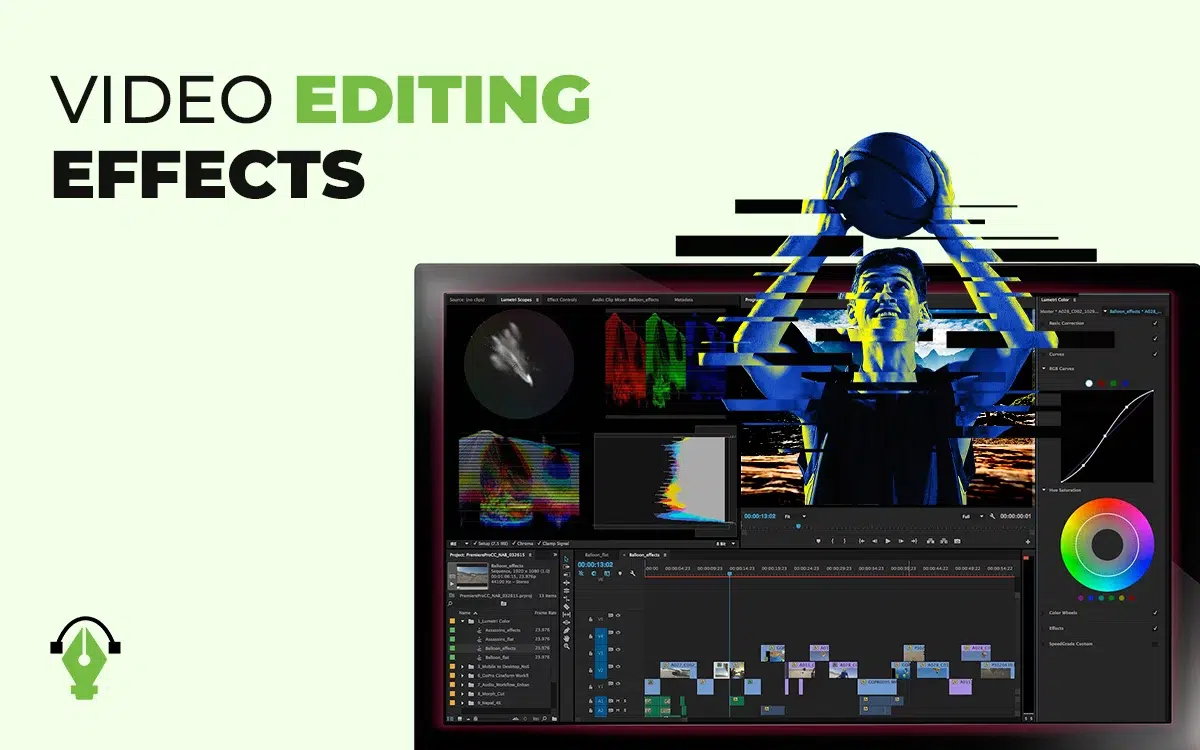
Video editing effects refer to a set of digital elements that are used for enhancing and adding realism to videos. Those effects come both from the real world and from man-made ways. Accurate use of effects hooks viewers to the brand’s content and inspires them to take action.
There are different types of video editing effects, including visual enhancement effects, transition and flow effects, and audio-based effects. Adobe Premiere Pro, Adobe After Effects, DaVinci Resolve, and Final Cut Pro, like video editing software, offer plenty of video editing effects. Besides online platforms such as Envato Elements, Adobe Stock, Pixabay, Pexels, and Motion Array offer libraries of creative effects for downloading effects for editing videos.
What you’ll learn in this article
- 1 What Are Video Editing Effects?
- 2 What Are the Different Types of Video Editing Effects?
- 3 What Is the Purpose of Using Effects in Video Editing?
- 4 What Is the Best Video Editing Software for Creating Effects?
- 5 What Is the Most Popular Video Editing Style?
- 6 How Do You Add Effects in Video Editing?
- 7 What are Examples of Cool Video Editing Effects?
- 8 What are Special Effects in Video Editing?
- 9 Are Video Editing Effects a Part of Post-Production?
What Are Video Editing Effects?
Video editing effects are artificial digital elements used to enhance and add creativity to videos, producing visually engaging and polished results. Those effects are absent in the original video or raw footage, so video editors apply editing techniques to create a certain mood and develop the story in the video.
Video effects contribute to narrative demonstration, enhance clarity, and highlight key moments. Some common video editing effects are transitions, motion graphics, overlays, slow motion, green screen, glitch effects, lens flares, etc, used in YouTube videos, corporate presentations, music videos, short films, etc.
What Are the Different Types of Video Editing Effects?
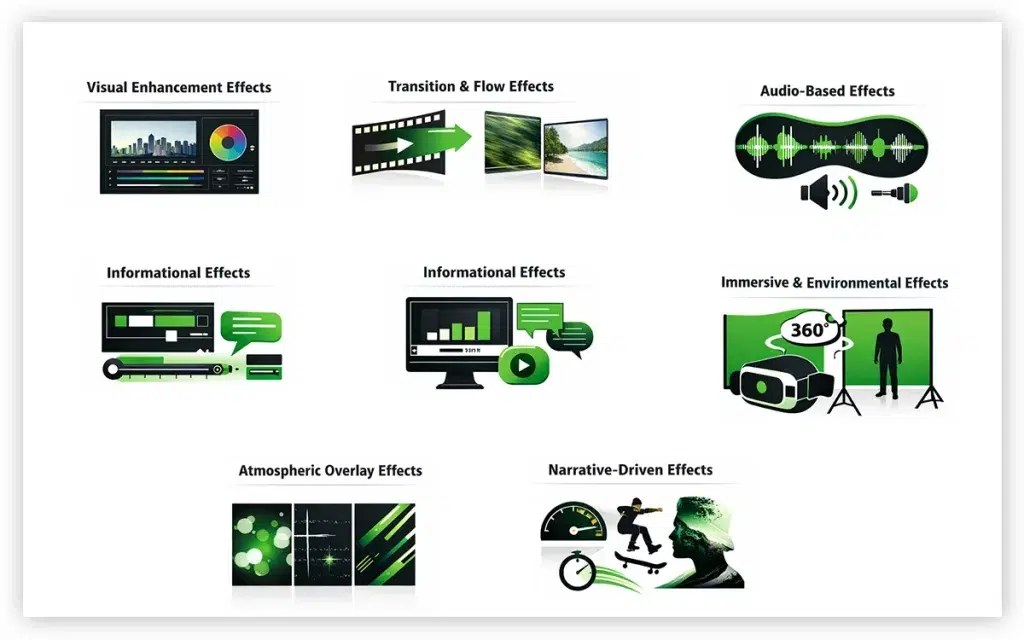
The Different Types of Video Editing Effects Are Categorized Into 7: Visual enhancement, transition & flow, audio-based, informational, immersive & environmental, atmospheric overlays, and narrative-driven. The use of effects creates the right personality, flow, and impact in videos. Each video editing software offers plenty of effects.
1. Visual Enhancement Effects
Examples: Color Grading, Vignette, and Contrast Adjustments.
Visual enhancement effects are called the foundations of video editing. It rectifies raw footage exposure, contrast, and color imbalances to achieve a polished and refined look. Inside the video editing software, it is placed in the Color Correction and Color Grading panels. Visual effects are often supported by LUTs (Look-Up Tables). These are used for ensuring on-brand videos are ready to distribute.
2. Transition & Flow Effects
Examples: Crossfade, Whip Pan, Wipe, Match Cuts, and Zoom Transitions.
Transitions are the connecting elements between footage to ensure seamless flow, keeping viewers hooked. You will find transitions or effect libraries in any video editing software, which contain simple fades to stylish whip pans. These are used in social media videos, advertising videos, and in fast-paced videos to attract viewers.
3. Audio-Based Effects
Examples: Echo, Reverb, Whooshes, and Ambient Sound Layers.
Audio-based effects match the visual flow to provide an immersive experience. It is found in the Audio Effects panel or sound design plugins. Sound effects are vital for ads, podcasts, films, and live-streamed content.
4. Informational Effects
Examples: Motion Graphics, Lower-Thirds, Animated Callouts, Text-To-Video Effects.
Informational effects are applied to assist data-driven video content that aims to educate, explain, inform, or provide information to viewers without overwhelming them. It is found in MOGRTs (Motion Graphics Templates), titles, lower thirds, and text tools. These are used in e-learning videos, corporate explainer videos, e-commerce videos etc.
5. Immersive & Environmental Effects
Examples: 360° Video Stitching, Green Screen (Chroma Key), Ar Overlays etc.
Immersive effects and environmental effects add realism, depth, and credibility in video, for example, gaming trailers, travel blogs, property tour videos etc. Environmental and immersive effects are available in chroma key or (Green Screen) settings, a 360-degree editing module etc.
6. Atmospheric Overlay Effects
Examples: Light Leaks, Bokeh, Film Grain, Glitch Overlays, Lens Flares etc.
Atmospheric overlays are used by layering texture and visual elements to create a unique vibe, warmth, and set the right mood or style to connect viewers with branded content. You will find these effects as overlay presets, downloadable LUT/overlay packs, blending modes, etc.
7. Narrative-Driven Effects
Examples: Slow Motion, Fast-Forward, Speed Ramping, Freeze Frames, Double Exposure etc.
Narrative-driven effect makes video content more consumable through amplifying the moments, such as slowing or freezing. These work as an emotional layer for the visual depth of the content and are used in music videos, sports content edits etc. You will find these in the time remapping, blending mode, or speed control section in video processing software.
What Is the Purpose of Using Effects in Video Editing?
The purpose of using effects in video editing is to enhance storytelling, establish a professional look, and create an emotional impact so viewers stay hooked and take action. Video editing effects such as color grading, overlays, transitions, sound effects, and motion graphics contribute to fulfilling different purposes across different industries as follows.
Importance of Video Effects in E-commerce
In e-commerce, video editing effects are used for focusing clarity, building trust, and generating conversions. Editing techniques make product videos, demos, ads, and lifestyle clips persuasive so shoppers convert them fast into paying customers. Other purposes of using effects in e-commerce are as follows.
- Showcase product detail through close-ups, slow motion, reveal texture etc
- Explaining features quickly
- Creating understandable videos that boost product value and conversion
- Enabling interactive/product visualization to lower return rates
- Keeping brand consistency
Importance of Video Effects in Film & Entertainment
Video effects are an essential element of cinematic storytelling. In film and entertainment, they are used for dramatic changes, to create a surprising look, and to emotionally engage viewers. Other benefits of effects in entertainment videos and films are as follows.
- Building atmosphere and adding cinematic depth
- Creates realism through VFX (Explosions, CGI, Fantasy Worlds)
- Enhances story development through fast/slow motion
- Ensures immersive experiences through audio and visual mixing
Importance of Video Effects in Advertising & Marketing
Video effects used in advertising and marketing look interesting and grab viewers’ attention fast. They also reinforce the brand’s message and identity with their products or services offered to potential buyers. The benefits of using video effects in marketing and advertising are as follows.
- Grabbing viewers’ attention within seconds
- Establishing and highlighting brand identity
- Appealing to viewers emotionally through visual and sound effects
- Differentiating ads from the competing and driving recall
Importance of Video Effects in Corporate & Training Videos
In the corporate world, visual effects in video are used to demonstrate professionalism to both internal organization and external viewers, while keeping audiences engaged in the content. Other reasons to use video effects in corporate and training videos are as follows.
- Keeping viewers and internal teams focused
- Simplifying the learning and understanding process of video content
- Building a professional brand perception
- Ensuring clarity by blending sound and visual effects
What Is the Best Video Editing Software for Creating Effects?
The best video editing software is Adobe Premiere Pro, alongside Adobe After Effects. DaVinci Resolve and Final Cut Pro. Those software stay top for their plenty of advanced features, including transitions, overlays, color grading, visual effects etc. However, the best video editing software depends on the video editor’s skill, project complexity, industry needs etc.
Where to Download Video Editing Effects Online?
To download video editing effects online, check online marketplaces and creative asset libraries such as Envato Elements, Adobe Stock, Pixabay, Pexels, Motion Array etc. These effects come in free or paid versions. You can choose from transitions, overlays, motion graphics, and LUTs (Color Presets), which are easy to apply on any video editing software.
What Is the Most Popular Video Editing Style?
The most popular video editing style is the one that fits industry needs and fulfills purpose, creates appropriate output, and follows the trend niche-relevant viewers prefer. Considering all these aspects, the most popular video editing styles are categorized as follows.
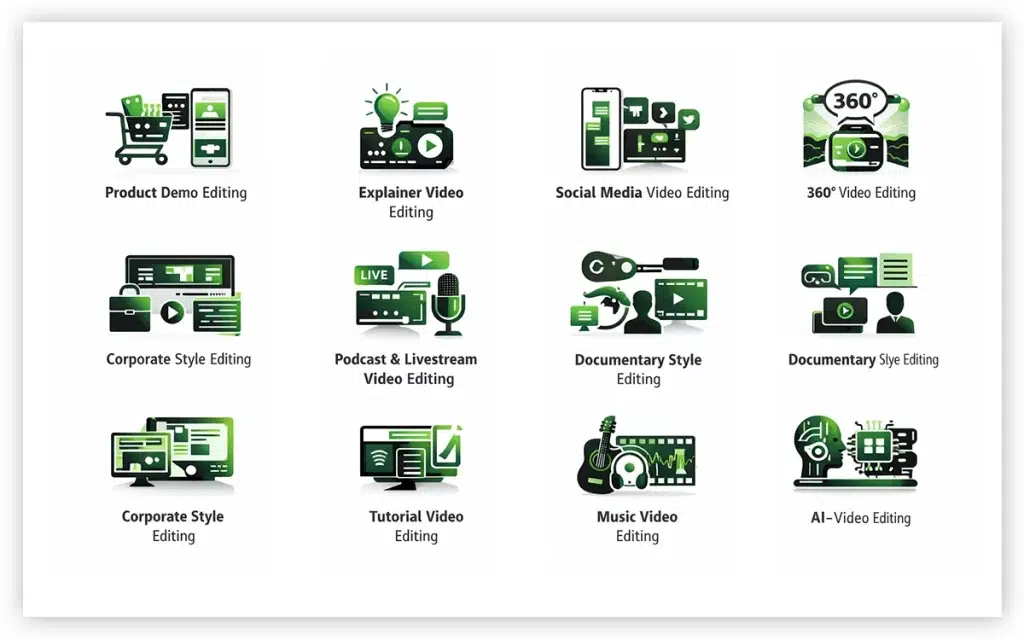
- Product demo editing
- Explainer video editing (Both by The Company and Buyers)
- Social media video editing (Vertical, Horizontal, Square, Repurpose, Long Form, and Short Form)
- 360 video editing
- Corporate style editing
- Podcast and Livestream Video Editing
- Document style editing
- Tutorial video editing
- Music video editing
- AI-video editing
1. Product Demo Editing
Product demo editing refers to post-production works performed on product demonstration videos, showing features, benefits, and ways to use in detail. Editing such videos includes close-up shots, text overlays, split screen, transitions, voiceovers etc. Demo videos increase viewers’ trust and trust decision through clear product presentation.
Use Cases: E-Commerce, Fashion Products, Tech Products etc.
2. Explainer Video Editing (Company & Buyer Perspective)
Explainer video editing refers to the videos that explain products, services, steps, and instruction manuals. Editing simplifies services into understandable ways. Editing such videos includes review cuts, voiceovers, animations, motion graphics etc. Explainer videos are popular due to making easy learning and building brand credibility.
Use Cases: E-Commerce, Saas, Education etc.
3. Social Media Video Editing
Social media video editing is editing videos of long-format, short-format, vertical, horizontal, square, and repurposing. The purpose of social content editing is to adapt content for different purposes to maximize engagement. It is popular for matching platforms’ algorithms.
Use Cases: Influencer Content, Social Media Reels, Ad Campaign Videos etc.
4. 360 Video Editing
360-degree video editing means that when the subject rotates, it allows viewers to see the subject completely and from different angles. It offers immersive experiences as viewers can see the inside of the perspective and have an interactive experience.
Use Cases: E-Commerce Product, Real Estate, Education etc.
5. Corporate Style Editing
Corporate style editing refers to office and organization-specific videos that deliver professionalism, maintain a unified vision inside the company, and connect shareholders and the target audience. Such video editing includes branded graphics, lower-thirds, along other editing techniques to produce consistent communication.
Use Cases: Corporations, Providing Companies, HR, Company Training Videos, Investor Presentation etc.
6. Podcast and Livestream Video Editing
Podcast and livestream video editing refers to converting them into polished videos, which includes editing highlights, cleaning audio, removing background noise, adding captions, and frames.
Use Cases: Personal Branding, Business Thought Leadership Video etc.
7. Documentary Style Editing
Documentary style editing is that with real stories, it aims to inform people with an authentic and narrative-driven concept. Editing a documentary includes interviews, voiceovers, b-roll footage, pacing etc. Such editing is popular due to credibility and forming an emotional connection with the viewers.
Use Cases: Brand Storytelling, Journalism, NG OS etc.
8. Tutorial Video Editing
Tutorial video editing refers to editing videos that have a process, steps, or guidelines for viewers to learn. It includes recorded screen editing, annotations, explanatory graphics inclusion, callouts etc. Tutorial videos are popular for delivering practical learning skills.
Use Cases: E-Learning Industry, DIY, YouTube etc.
9. Music Video Editing
Music video editing refers to processing visuals with music both in the foreground and background, aligning with the story. It includes beat-matching, VFX, lighting transitions, overlays, background music etc, which creates an engaging visual experience.
Use Cases: Fashion Industry, Animation Production, Music Video Production.
10. AI-Video Editing
AI-video editing refers to artificial intelligence-generated video processing. The process includes adjusting color, pacing, cleaning up awkward transitions, and mismatching dialogue or scenes etc. After editing, the video appeared human-made with a professional look and authenticity.
Use Cases: E-Commerce, Social Media, Corporate Platforms etc.
What Are the Best Video Editing Effects?
The best video editing effects include text-to-video effects, color grading, transitions, overlay effects, and green screen due to their combined creativity with functionality offered to develop artistic and purposeful videos. The best effects for video editing differ based on industry, users’ needs, purposes, trends etc.
- Text-to-Video Effects: Adding text to video is the process of turning written content into engaging visuals. By using this effect, brands can easily capture viewers’ attention, and creators can repurpose blogs, scripts, and other marketing material into video form.
- Color Grading: Color grading is an advanced and creative color application technique that elevates raw footage by setting the desired mood and tone. Grading transforms simple, dull videos into cinematic visuals, grabbing viewers’ attention and emotionally connecting them.
- Transitions: Transition is the seamless change between raw footages that make the video look smooth and dynamic. It keeps the narrative flow intact and maintains viewers’ attention.
- Overlay Effects: Overlay effects are elements with effects. It adds depth and atmosphere with elements like textures, light leaks, or flares. Overlays give videos a professional and polished look.
- Green Screen (Chroma Keying): Green screen is the single green color background used during footage shooting. Applying green screen allows video editors to implement any type of creative editing, from replacing with any scene to changing elements, environments etc.
How Do You Add Effects in Video Editing?
To add effects in video editing, choose the desired effects from the video editing software library and apply them to your imported video. Here is the step-by-step guide on how you can add effects in video editing.
Step 1: Import Your Footage
Upload the raw video footage into your preferred video editing software and organize it in a project timeline.
Step 2: Choose the Effect
Once the videos are uploaded, go to the software’s effects panel or library. You will find effects such as overlays, color correction, audio effects etc, as built-in options in most video editing software.
Step 3: Apply the Effect to the Footage
Now drag and drop the effects that best fit with the scenes. Some effects will appear right away, but some effects need manual adjustment to make them work.
Step 4: Adjust the Effect Settings
Once you have placed the effects, use the effects control panel to adjust their speed, color, intensity, and opacity to match your desired output.
Step 5: Preview and Refine
Play back your timeline to analyze the effects in real-time. Make adjustments or layer multiple effects to create a smooth and natural feeling.
Step 6: Export the Final Video
When the video looks fine, render and export to your required video formats (MP4, MOV etc) or according to the social media video dimensions.
What are Examples of Cool Video Editing Effects?
Some examples of cool video editing effects are glitch effect, speed ramping effect, double exposure, bokeh, slow motion, and 3d effects. These effects make videos visually striking and memorable. For this reason, effects are widely used in product launching, explainer videos, films, animation, advertisements etc.
1. Glitch Effect
The glitch effect is the simulated version of digital distortions and errors. It appears as a sudden jump, pixelation, screen distortion etc. It creates a futuristic or edgy look and is mostly used in gaming, sci-fi, or tech-related content.
2. Speed Ramping Effect
Speed ramping effect is the gradual change of speed in a clip from slow to fast and vice versa. It is used for dramatic introduction and highlighting key moments. Product advertisements, cinematic trailers, and sports videos use the speed ramping effect the most.
3. Double Exposure
Double exposure is the combination of two visuals into one frame to establish an artistic, surreal, and dreamy concept. It is used in fashion promo videos and music videos to evoke emotion.
4. Bokeh Effect
The Bokeh effect is the artistic way of using blur in the background of a video when the subject is in focus and light sources are distant. Bokeh is used in creative product photography, model photography, and films to create a cinematic and artistic atmosphere.
5. Slow Motion
Slow motion (In Short Slo-Mo) is the playback speed slower than usual. It prioritizes motion, scene, and purpose, allowing viewers to take note of the context that otherwise will be missed. Slow motion is used in sports highlights, music videos, storytelling etc.
What are Special Effects in Video Editing?
Special effects in video editing are the advanced-level visual and audio techniques used in videos that aren’t present in the raw footage and can’t be taken during shooting or creating footage, such as weather effects, explosions, fire overlays, slow motion and fast motion, animated text, sci-fi elements (Lasers, Energy Beams), supernatural visuals etc. Special effects create dramatic, fantasy, and cinematic environments, making videos immersive and well-developed.
What is After Effects in Video Editing?
After Effects in video editing is an Adobe provided software offering motion graphics and visual effects solutions to assist animators and video editors. It offers plenty of features for adding titles, VFXs, advanced animation, cinematic effects, and compositional techniques, making it an effective tool for the Entertainment industry.
Is After Effects Good for Video Editing?
After Effects is good for video editing, only for creating effects, animations, visual enhancement elements etc, delivering professional standard results. After Effects is not good for video editing as it doesn’t offer a full-fledged solution like traditional video editing software.
What are Visual Effects in Video Editing?
Visual effects in video editing are digitally created artificial elements that enhance video narratives and empower the story, for example, 3D animation, explosions, green screen composition etc. Visual effects or VFXs make scenery dramatic and sensible, contributing to increasing viewers’ engagement. Entertainment, e-commerce, and the gaming industries mostly use VFXs.
What are Sound Effects for Video Editing?
Sound effects for video editing are artificial auditory elements that increase videos’ realism, immersive experience, and add depth to the story. Sound effects are the replica version of the sounds from our daily life, which includes both object and man-made. Some common sound effects are footsteps, explosions, door closing etc. You can get sound effects from Pixabay, Freesound, Premium Beat, Envato Elements etc.
What is the Vignette Effect in Video Editing?
Vignette effect in video editing is the video editing special effect that lightens or darkens the edges of the video frame to highlight the center parts. The purpose of applying the vignette effect is to draw viewers’ attention and focus to certain parts, emphasize the subject, add a dramatic mood, and create a cinematic look in videos.
Are Video Editing Effects a Part of Post-Production?
Yes, video editing effects are a part of video post-production, where raw footage is processed to create a professional-quality video. After performing the basic level post-production works, such as trimming, sequencing, and distraction removal, video editors go for advanced level editing techniques and effects, which include color grading, overlays, slow motion, transitions, and green-screen compositing. After the effects are implemented, videos turn into commercial-standard videos ready to distribute.