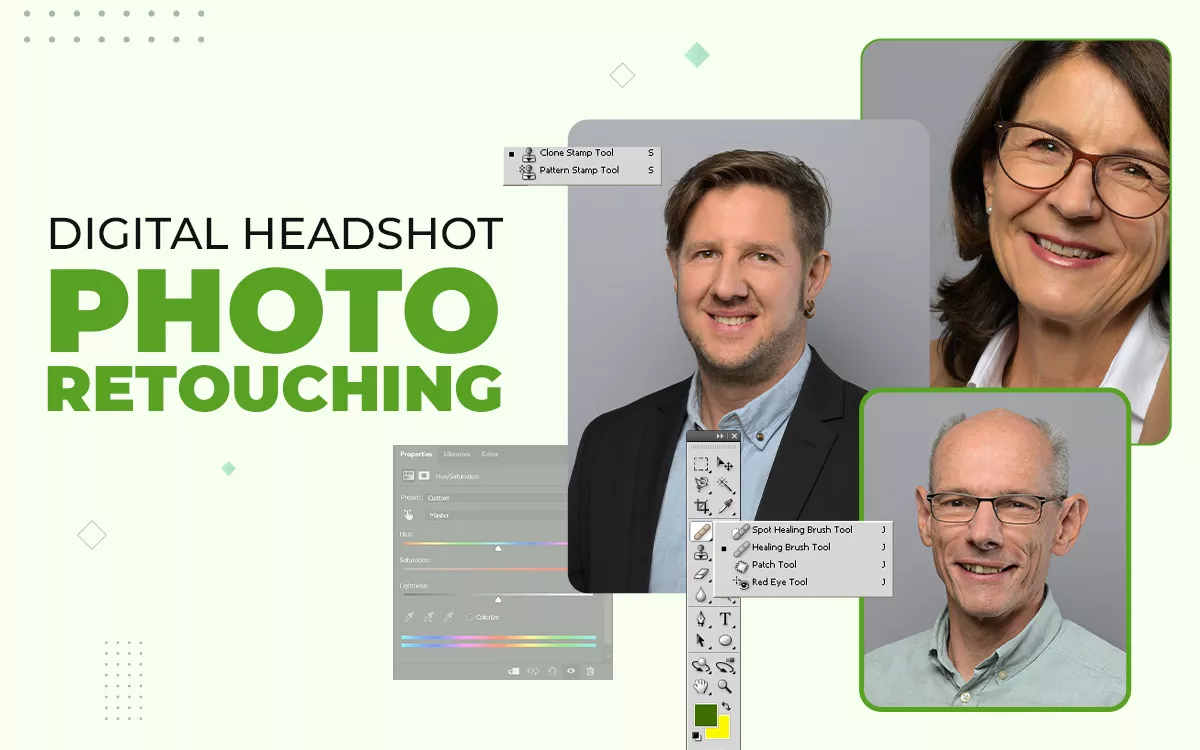
Digital headshot photo retouching is the digital enhancement of portrait photos to create a clean, professional look while keeping skin and features realistic. Common techniques include subtle skin smoothing, blemish and stray hair removal, eye and teeth brightening, and color correction. Using tools like Adobe Photoshop, this guide explains what should be retouched, what must stay natural, how far is too far, and how professional retouching builds confidence and credibility across platforms.
What is Headshot Retouching?
Headshot photo retouching service is the process of digitally enhancing portrait photos to improve appearance while keeping them natural and authentic. It fixes blemishes, smooths skin, chins up, brightens eyes and teeth, adjusts colors, and refines lighting, creating a polished, professional look without making the image appear artificial.
Why is Headshot Retouching Important?
Headshot retouching is important as it presents you in a clear, bright light, looks professional, and creates a strong, trustworthy first impression. Through headshot retouching, it removes wrinkles, brightens eyes, and adjusts lighting. Ensure photos look polished and consistent for resumes, social media, portfolios, and professional platforms without appearing unnatural.
Here Are the Key Reasons for Headshot Retouching:
- Enhanced First Impressions & Credibility: A polished headshot instantly conveys confidence and competence, helping you make a strong impression in professional and social settings.
- Consistency Across Platforms: Retouched images ensure your appearance is uniform across LinkedIn, websites, portfolios, and social media, reinforcing your personal brand.
- Subtle Refinement over Alteration: Retouching improves features naturally, keeping your look authentic without appearing overdone or artificial.
- Increased Engagement: Professional, clean images attract more attention and positive responses from viewers.
- Focus on Professionalism: A refined headshot reflects your seriousness and commitment, strengthening your professional presence.
What Does Professional Headshot Retouching Include?
Professional headshot retouching includes skin enhancement, hair cleanup, facial detail refinement, and color and lighting correction using Photoshop tools. These adjustments improve image quality while keeping the subject natural and approachable, helping create a polished and professional appearance suitable for business and personal branding.
The Techniques of Headshot Retouching Are Categorized Into Simple, Medium, Professional, High-End, and Custom Retouching, as Follows:
1. Simple Headshot Retouching
Simple headshot retouching focuses on basic cleanup and light corrections. It is commonly used by professionals who need quick improvements for resumes, LinkedIn profiles, or internal company use, where minimal editing is needed to look professional. This level enhances clarity and neatness without altering the original look.
Simple Headshot Retouching Includes the Following Techniques:
- Basic skin tone and facial color correction
- Acne, scars, pimples, and minor blemish removal
- Wrinkle softening while keeping natural skin marks
- Light teeth brightening
- Product polishing (Dust and Wrinkle Removal)
- Group photo color and shadow correction
- Image cropping and resizing
2. Medium or Professional Headshot Retouching
Medium or professional headshot retouching offers more detailed improvements while maintaining realism. It is ideal for corporate profiles, websites, and marketing materials where a refined and confident appearance is required.
Medium or Professional Headshot Retouching Includes the Following Techniques:
- Exposure, color, and contrast correction
- Skin tone improvement and feature refinement
- Headshot retouching with age-appropriate adjustments
- Loose hair removal and body refinement
- Background addition, replacement, or stretching
- Distraction and object removal
- Niche-specific retouching (Newborn, Portrait, Jewelry)
3. High-End Headshot Retouching
High-end headshot retouching involves precision editing and manual techniques. It is often used for executives, actors, models, and branding campaigns where image quality and consistency are critical.
High-End Headshot Retouching Includes the Following Techniques:
- Clipping path and background extraction
- Pixel-level eye retouching
- Advanced beauty retouching using frequency separation
- Skin texture and tone refinement
- HDR image creation with multiple exposures
4. Custom Headshot Retouching
Custom headshot retouching is tailored to specific client requirements. The techniques vary depending on the purpose, style, and usage of the image, offering flexibility and personalized results.
Custom Headshot Retouching May Include:
- Teeth editing and brace removal
- Photo compositing and image merging
- People/subject addition or removal
- Body part, face, head, or eye swapping with natural blending
How Do You Do Photoshop Headshot Retouching?
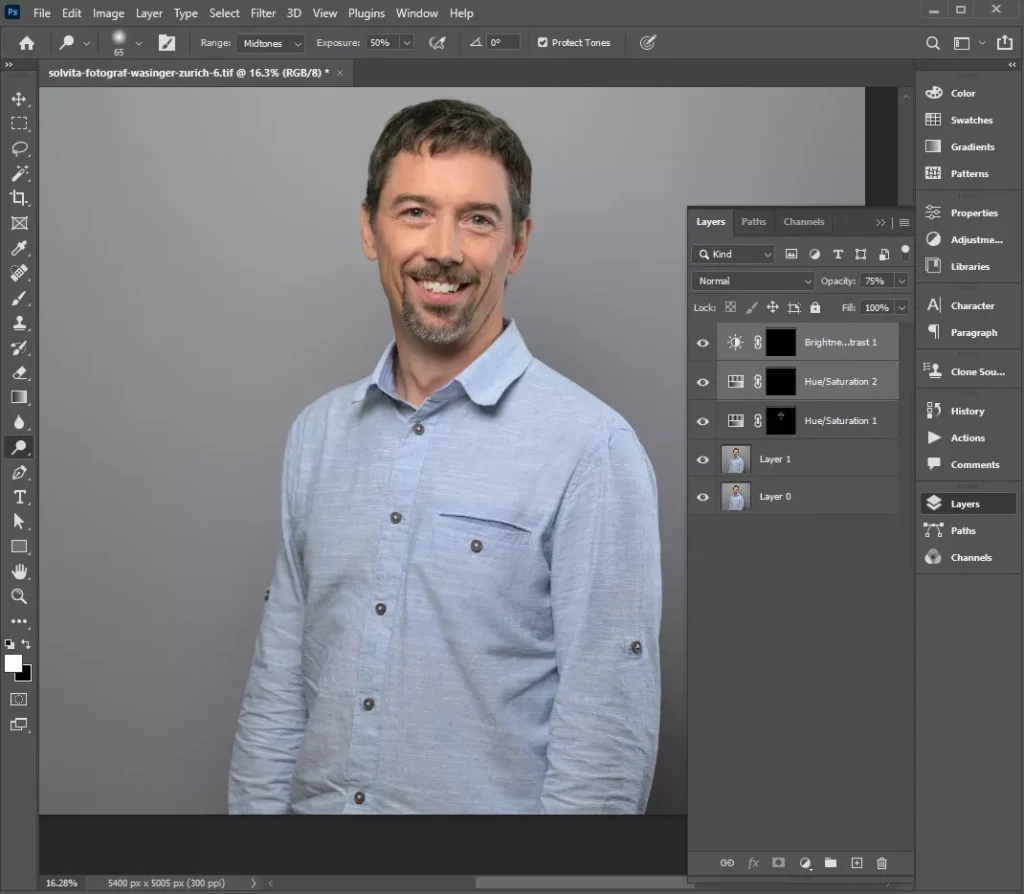
For Photoshop headshot retouching, it’s essential to follow a non-destructive workflow that enhances portraits while keeping features natural. Key steps include using the Spot Healing Brush to remove blemishes, Frequency Separation for skin smoothing, and Dodging and Burning for subtle contouring and color correction. Each step carefully adjusts skin, facial details, lighting, and colors, removes distractions, and refines features without making the image look artificial.
Here Are the Key Steps to Follow when Applying Photoshop Headshot Retouching:
Step 1: Clean up The Skin
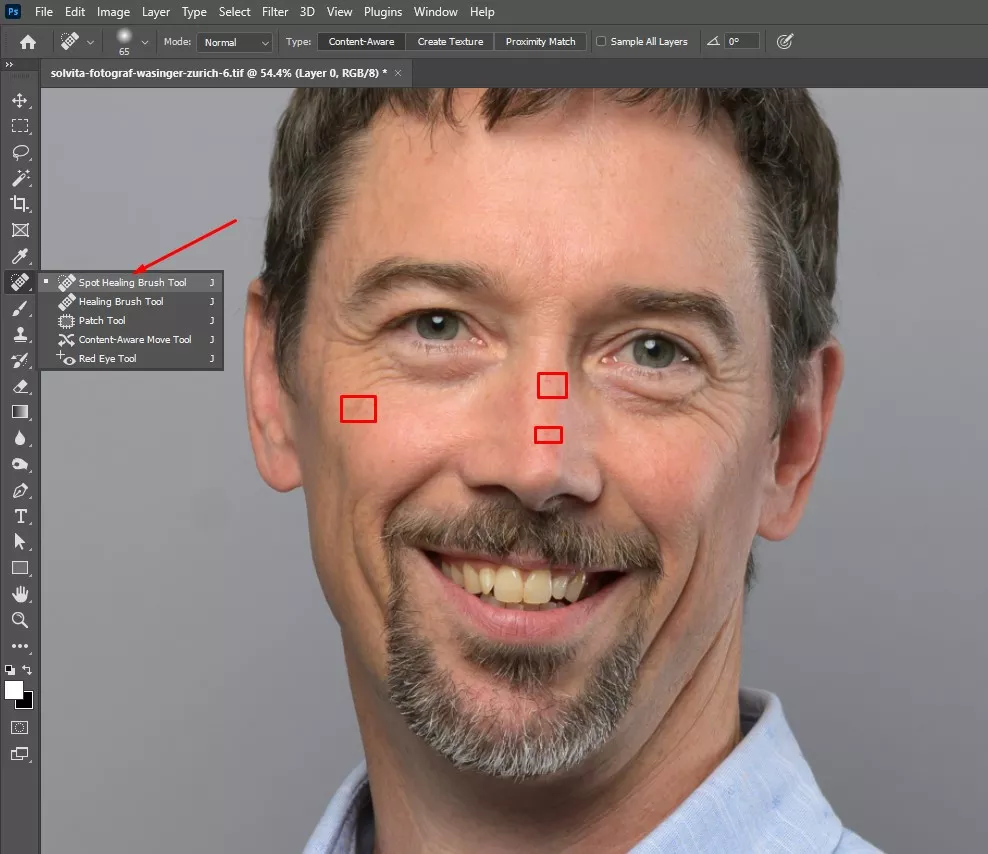
Start by removing small blemishes, dust, and temporary marks. Use the Spot Healing Brush or Clone Stamp on a separate layer. This clears distractions without affecting natural skin texture.
Step 2: Smooth Skin While Keeping Texture
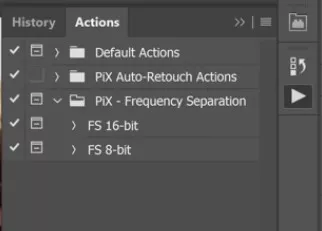
Use Frequency Separation to reduce uneven skin texture and soft wrinkles. Work gently. The goal is smoother skin, not plastic skin.
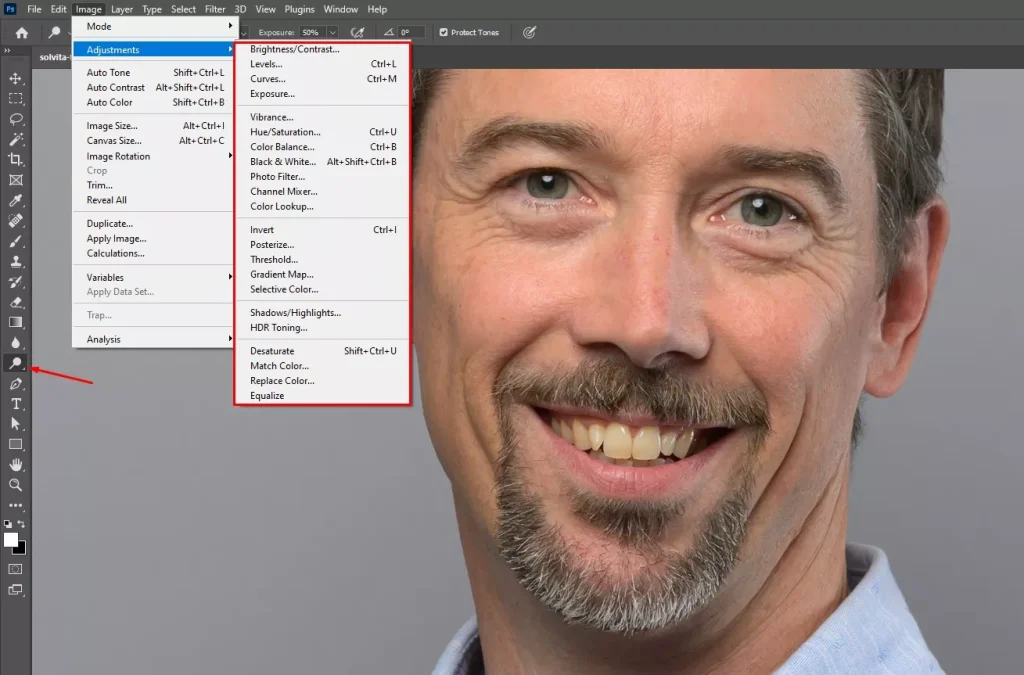
Step 3: Brighten Eyes and Teeth
Enhance the eyes and teeth using Dodge & Burn, Brightness/Contrast, or selective adjustments. Keep it subtle so the portrait still looks real and relaxed.
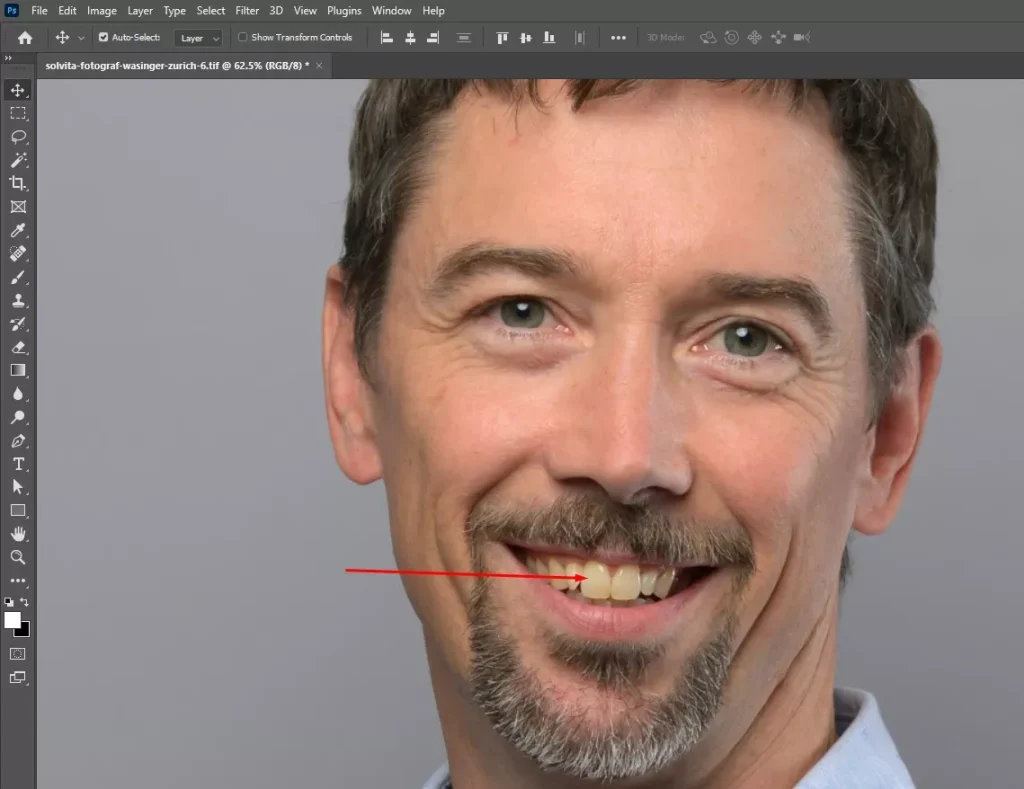
Step 4: Fix Hair and Grooming Details
Remove stray hairs, flyaways, and rough edges. Use the Brush or Clone Stamp to clean up the hairline and overall grooming.
Step 5: Adjust Color and Lighting
Correct skin tones, balance highlights and shadows, and fine-tune exposure. This step brings everything together and gives the image a natural, professional look.
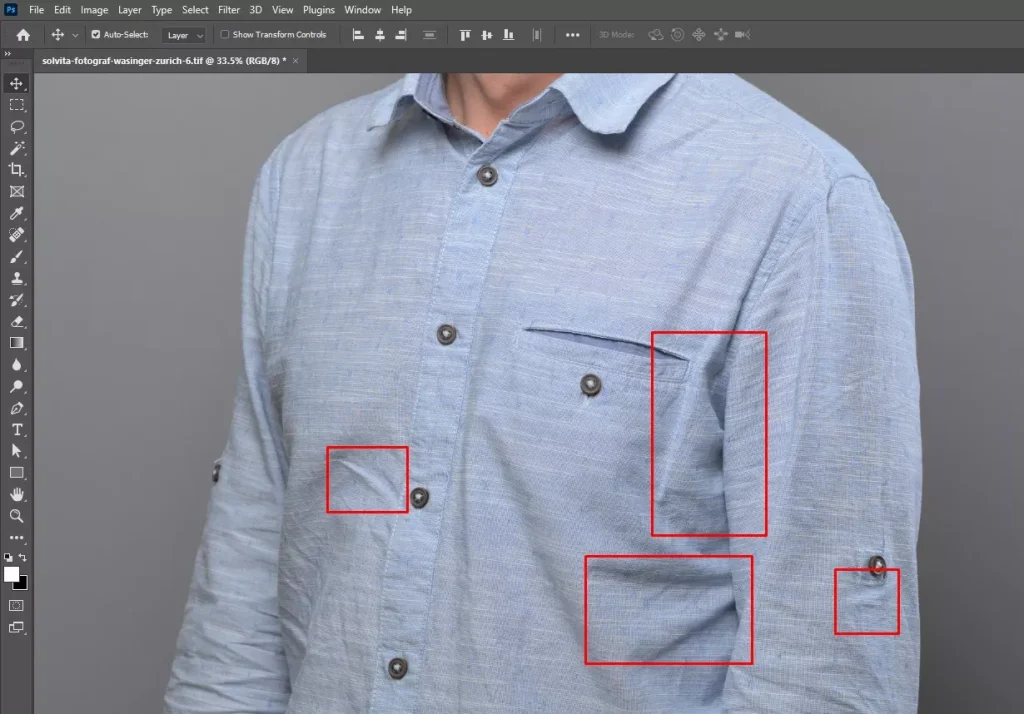
Step 6: Remove Distractions
Clear background or foreground elements that pull attention away from the subject. Use the Healing Brush or Content-Aware Fill to keep the focus on the face.
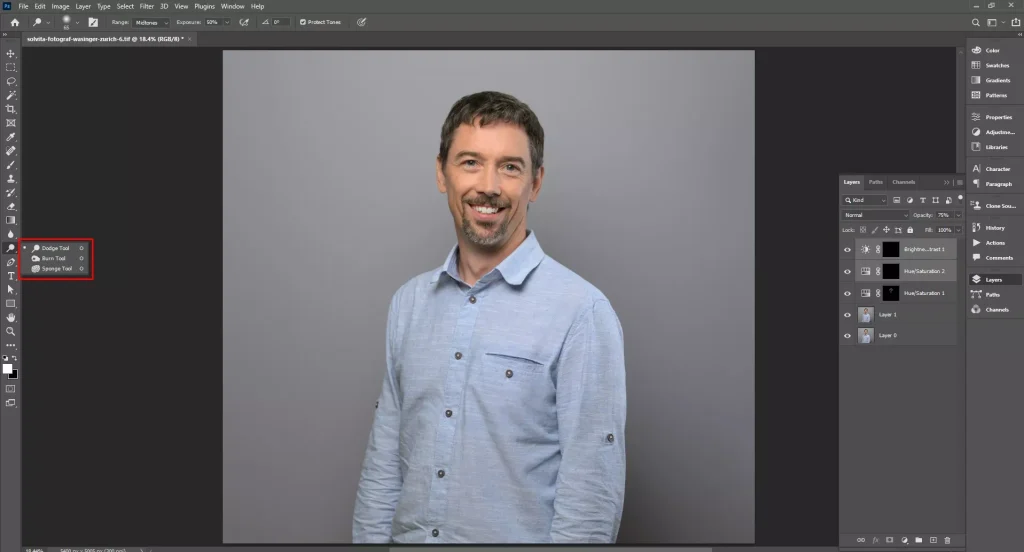
Step 7: Subtle Contouring and Shaping
Refine facial contours using Dodge & Burn or Liquify, very lightly. This helps define features without changing the person’s natural appearance.
Step 8: Final Polish
Sharpen important details, review the image at 100%, and check consistency if you’re working on multiple headshots. The final result should look clean, natural, and authentic.
What Mistakes to Avoid in Headshot Retouching?
The mistakes to avoid in headshot retouching include over-smoothing skin, excessive teeth whitening, harsh contrast, oversaturated colors, ignoring background distractions, over-sharpening, and aggressive reshaping of facial features. Avoid overdoing any adjustment or overlooking details, as this can compromise the image’s professionalism and authenticity. The goal is to enhance, not alter, your appearance.
Here’s a Breakdown of Common Mistakes to Avoid, Ensuring the Final Photo Looks Polished, Natural, and Credible:
1. Over-Smoothing Skin: Too much smoothing removes natural texture and makes skin look plastic.
How to Solve It: Lower the smoothing intensity and keep pores and fine lines visible.
2. Over-Whitening Teeth or Eyes: Excessive brightening creates an unnatural, fake look.
How to Solve It: Increase brightness slightly and keep natural shades intact.
3. Ignoring Natural Facial Features: Removing freckles, moles, or lines can make faces look unrecognizable.
How to Solve It: Retain defining features and only soften when truly needed.
4. Over-Contouring or Reshaping: Heavy sculpting distorts facial structure and reduces authenticity.
How to Solve It: Use light contouring and follow the subject’s natural shape.
5. Poor Lighting and Color Correction: Overexposed or odd colors make photos look heavily edited.
How to Solve It: Adjust lighting gently and aim for natural skin tones.
6. Neglecting Background or Distractions: Busy backgrounds pull focus away from the subject.
How to Solve It: Clean up distractions and keep the background simple.
7. Inconsistent Retouching Across Photos: Different edits weaken professional branding.
How to Solve It: Apply the same retouching style and settings to all images.
When AI Photo Retouching Becomes Risky for Professional Headshots?
AI photo retouching becomes risky for professional headshots when it stops enhancing and starts redefining the subject, turning a real person into a soulless and inaccurate version of themselves. While it may improve lighting and remove blemishes, overprocessing drains character from the face. The result looks impressive but feels untrustworthy, weakening authenticity, credibility, and the human connection a headshot is meant to create, professionally speaking.
Let’s Break It Down:
When the Face No Longer Matches Reality
If AI smooths skin until pores disappear, reshapes the jaw, or changes eye size, you’ve crossed the line. Recruiters, clients, and casting teams expect the photo to look like the person who shows up. When it doesn’t, trust drops fast.
When Age, Ethnicity, or Defining Traits Get Altered
AI often “Beautifies” based on narrow defaults. That can lighten skin, remove wrinkles, erase freckles, or soften features tied to identity. That’s not retouching. That’s misrepresentation, and in some fields it can be ethically or legally risky.
When Expressions Become Artificial
Over-retouched eyes look glassy. Smiles look frozen. Skin looks plastic. Headshots live or die on human warmth. Once that’s gone, the image feels off, even if people can’t explain why.
When Lighting and Texture Get Flattened
AI loves to even everything out. Real faces need shadows and texture to feel three-dimensional. Flat light plus flat skin equals a lifeless photo.
When Brand Consistency Breaks
Office executives, speakers, or teams take cohesive and uniform headshots as part of a brand. If AI produces different face shapes, skin tones, or styles across images, it weakens credibility.
When the Industry Has Strict Expectations
Law, finance, academia, government, and casting are conservative for a reason. Heavy AI retouching reads as vanity or deception. Subtle edits read as professionalism.
How Do You Choose the Best Headshot Retouching Service Provider?
The best headshot retouching service provider must meet several important criteria, such as offering quick turnaround time, free trials, consistent quality, and a natural editing style. Professional photo retouching companies also maintain clear communication and rely on skilled human retouchers to handle detailed skin work instead of depending entirely on AI tools. This human-focused approach ensures precise and realistic results. The primary goal of trusted photo retouching companies is to enhance your image without changing your identity, preserving natural skin texture, authenticity, and trust rather than creating an overly polished or artificial appearance.
5 Key Things to Look for When Finding the Best Headshot Retouching Service Provider Are as Follows:
1. Work Style: Their work should preserve skin texture, facial structure, and expression. If faces look plastic or over-smoothed, that’s a red flag.
2. Experience with Professional Headshots: Headshots for business, casting, or corporate use follow different rules than fashion or social media edits. Experience shows in restraint.
3. Before and After Samples: Clear comparisons reveal whether the provider enhances or reconstructs faces. Good retouching is noticeable only when compared side by side.
4. Manual Retouching Over Full AI Automation: Skilled human editing produces consistent, realistic results. AI should assist, not replace, expert judgment.
5. Clear Communication and Revisions: The best providers listen, explain their process, and offer revisions so the final image still feels like you.
How Much Does Headshot Retouching Cost in the USA?
Headshot retouching cost in the USA starts around $0.60 /per photo in basic editing and goes up to $50 or more per image, depending on project complexity and turnaround time. Advanced, detailed retouching usually begins at $30+.
Here Is the Breakdown Cost Table of The Headshot Retouching Cost in The USA:
| Service | Price | What’s Included |
|---|---|---|
| Basic Edit | $0.60 – $15 | Quick fixes, blemish removal, simple color correction |
| Standard Retouch | $15 – $50 | Skin smoothing, lighting balance, minor touch-ups |
| Professional Human Edit | $50 – $150 | Natural skin texture, expert adjustments, detailed refinements |
| Premium/Express | $150+ | Fast turnaround, custom requests, senior retoucher |
How Long Does Headshot Retouching Take?
Typically, a headshot retouching takes depends on the complexity of the image and the level of detail needed.
Basic edits, such as removing blemishes, adjusting lighting, and minor color correction, take about 5–15 minutes.
High-end retouching, including skin smoothing, eye and teeth enhancement, hair grooming, and subtle sculpting, can take 30–60 minutes or more to achieve a polished, professional result.
FAQ’s
What skin retouching techniques are used in headshot retouching?
The techniques that are used in headshot skin retouching include frequency separation, dodge and burn, blemish cleanup, color correction, and light texture smoothing. The goal is clean, natural skin that keeps pores open, avoids a plastic look, and reflects the person accurately.
Which software is best for professional headshot retouching?
The best software for professional headshot retouching includes Adobe Photoshop, Lightroom, Capture One, and Affinity Photo. Photoshop leads for detailed skin work, while Lightroom and Capture One handle color and tone. Together, they deliver clean, natural, professional results used by retouchers worldwide.
How does headshot retouching help personal branding?
The process of headshot retouching helps personal branding by polishing details, fixing lighting, and keeping you natural. It builds trust, boosts confidence, and makes a strong first impression across LinkedIn, websites, and press without looking fake or overly edited.
Can headshot retouching remove acne, wrinkles, and blemishes?
Yes. Headshot retouching can soften wrinkles, remove acne, and clean up blemishes. The goal is natural skin, not a plastic look. You still look like you, just more polished and well rested.