Video post-production refers to the video enhancement techniques applied to raw video footage to create an understandable, polished, and professional narrative. The process of editing a video starts with planning and ingestion, editing, and ends with export and delivery. These steps are followed to achieve highly detailed, high-quality post-processed videos ready to distribute for commercial goals.
Professional video editors use Adobe Premiere Pro, Final Cut Pro, DaVinci Resolve, CapCut, etc to edit videos. Nowadays, AI video editing solutions are on the rise. But professional videographers, e-commerce product companies, renowned brands, media and entertainment industries, and manufacturing companies mostly bank on manually edited videos by professional video editing companies for precision and quality. The price of video editing starts at $90 to $100 per hour.
What is Video Post Production?
Video post-production is the video editing technique of transforming raw footage into an understandable narrative through cropping, resizing, synchronizing, color correction & color grading, sound and music editing, effects & animation, and length adjustment. It is the last stage of the video production process where video editors shape the videos into professional, well-descriptive, and visually and auditory pleasing.
Post-production works begin after the video production ends. Expert video editors use Adobe Premiere Pro, CyberLink PowerDirector 365, Apple Final Cut Pro, etc, to edit videos. Editing a video takes 2-4 hours to more than 1 week, depending on project complexity, video length, volume, level of editing, etc.
Is Video Editing Counted as Post-Production?
Yes, video editing is counted as a post-production, specifically the last and final step. The post-production segment involves footage resizing, clipping, synchronizing, color correction and color grading, audio engineering, applying effects, etc. The edited videos are ready to distribute on different video-streaming platforms and online campaigns.
What Are the Differences Between Pre-Production, Production, and Post-Production?
The differences between pre-production, production, and post-production are the process details, involved professionals & team, and output. Pre-production is the preparation stage where planning and organizing of the whole production happen. Production is the stage of the concept gets life through footage. Post-production is the stage that enhances video quality and outputs, and is ready to distribute.
| Topic | Pre-Production | Production | Post-Production |
|---|---|---|---|
| Stage of Work | Planning and preparation before filming | Actual filming and recording | Editing and finishing after filming |
| Process Details | Scriptwriting, storyboarding, budgeting, casting, location scouting, scheduling | Setting up lights, cameras, sound, directing actors, and recording footage | Video editing, color correction, sound design, VFX, motion graphics, mastering |
| Involved Professionals & Team | Producers, directors, scriptwriters, casting directors, and location managers | Cinematographers, directors, camera crew, sound engineers, actors, and set designers | Video editors, colorists, sound designers, VFX artists, motion graphic designers |
| Output | Script, storyboard, production plan | Raw video and audio footage | Final polished video ready for release |
What Are the Steps of Video Post-Production?
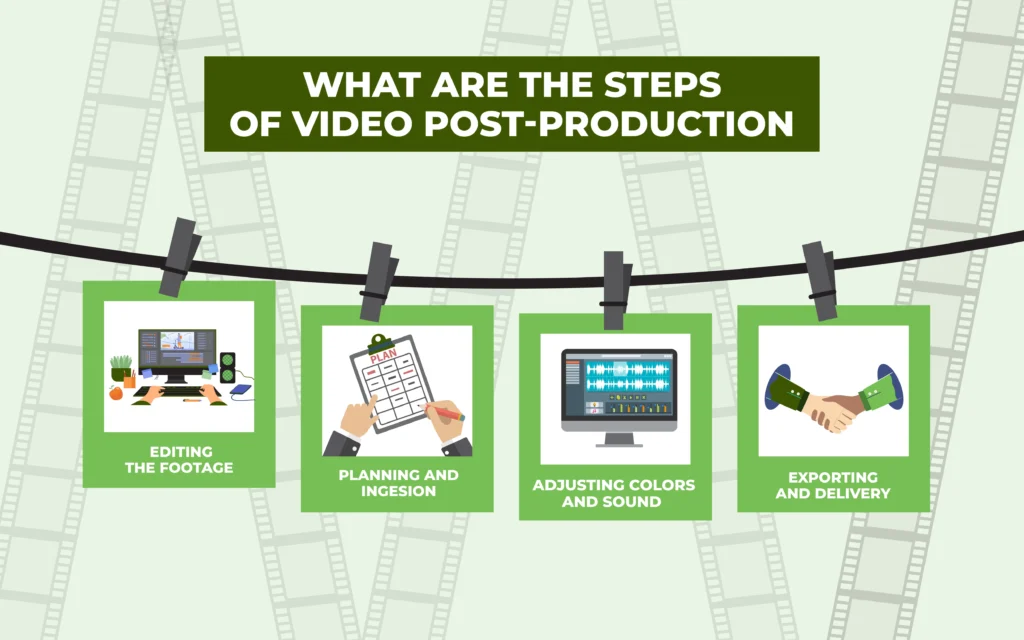
There are 4 steps of video post-production: planning and ingestion, editing, adjusting colors and sound, and exporting. Most video editors follow these steps, but they vary depending on assigned projects, required work, and timeline.
Step 1: Planning and Ingesion
Plan how you will proceed with the existing clips based on the purpose. Each footage would receive a nearly similar level of editing, so you can categorize the list of techniques beforehand. To process the start transfer all footage from the camera to editing drives, also called video ingestion. Organize those clips in different folders with notes to save hours of repetitive work back and forth.
Step 2: Editing the Footage
Assemble all the videos to create the perfect narrative and use powerful video editing software, for example, Adobe Premiere Pro or PowerDirector 365. This stage is called rough cut, where you keep the essential ones and discard the rest. Then comes the fine cut, the phase of refining scenes and sequences, adding transitions, effects, and audio. After the editing comes the final cut, where you refine the pace to transform the video into a well-developed story.
The editing sector contains several other video improvement tasks as follows.
- Adjusting multi-camera footage
- Removing flaws and distractions captured during shooting
- Adjusting brightness, highlights, and shadows to solve exposure issues
- Using digital transformation techniques
Step 3: Adjusting Colors and Sound
Assembled videos first go with color correction to fix technical errors and prepare them for advanced-level color grading. Color grading is applied to develop a specific theme or create a style in the video. When the visual parts are complete, the sound and audio parts are adjusted, which includes several editing tasks as follows.
- Using noise filters to edit out unwanted background noises
- Implementing Automated Dialogue Replacement (ADR) for voiceover
- Measuring audio consistency level through audio meters
- Using crossfades, Foley sound mixing sounds for creative enhancement of visuals
- Adding titles and credits
Step 4: Exporting and Delivery
When everything is approved, export the video into client-required or most accepted deliverable formats. If the videos are to be published on different distribution platforms, you need to ensure the video is compressed or decompressed. Use a video codec for compressing or decompressing video files, such as H.264 and H.265.
Video codec comes in 2 types: intra-frame and inter-frame. Intra-frame (spatial compression) stores each frame individually, like a JPEG image, and keeps higher quality and makes editing easier, though file sizes remain larger. Inter-frame (temporal compression) saves only the differences between frames, reducing file sizes and making it better for storing and distributing video.
Social Media’s Video Format Specification
| Platforms | Resolution | Aspect Ratio | File Size | Supported Formats |
|---|---|---|---|---|
| Youtube | 4K, 1080p | 16:9 | 128 GB | .mov, .mp4, .m4v, .avi, .mpg, .mpeg, .webm |
| Vimeo | 640p and 8K | 16:9 | 500 MB/week (Basic plan) | MOV, MP4 |
| 1080 x 1350p | 9:16 | 4 GB | MOV, MP4 | |
| TikTok | 1080 x 1920p | 9:16 | 500 MB Max | MP4, MPEG, MOV, AVI |
Why is Video Post-Production Important?
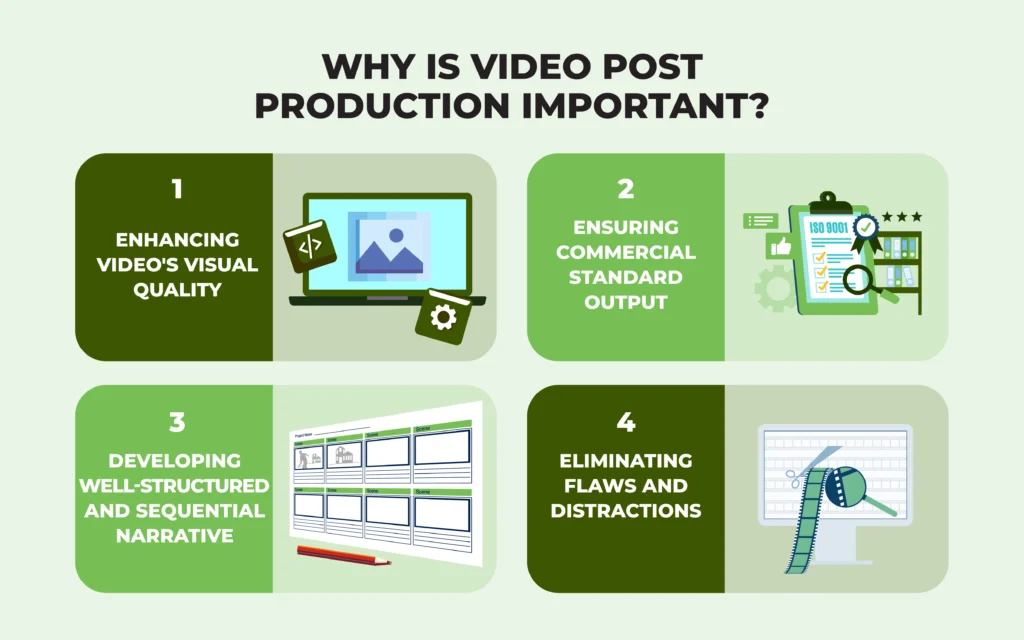
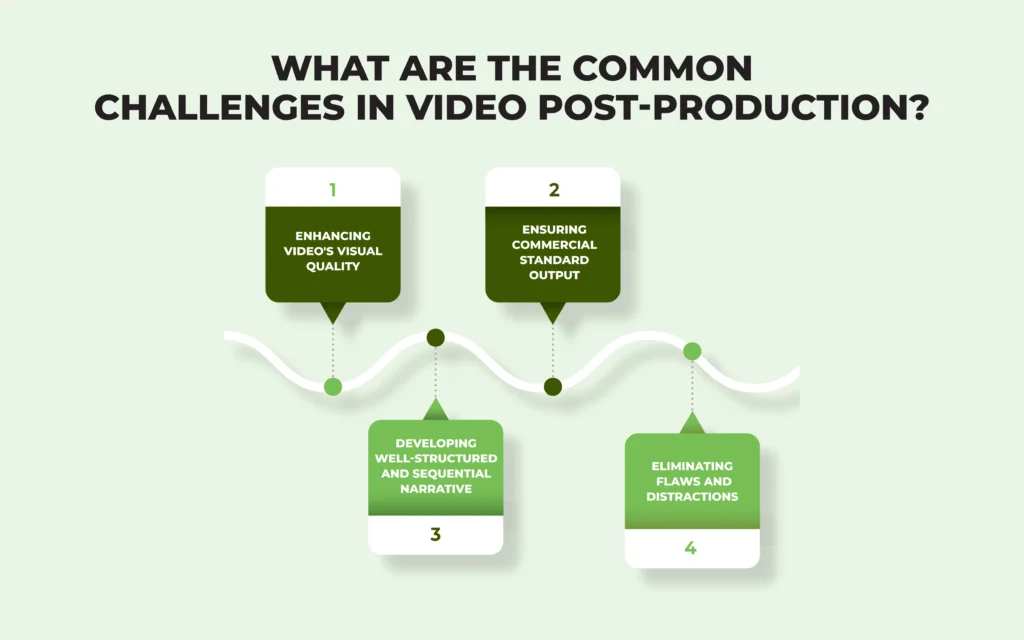
Video post-production is important to enhance visual quality, ensuring commercial standard output, developing a sequential narrative, and eliminating flaws and distractions, which play an essential role in forming a successful marketing strategy and delivering an accurate brand message. According to a 2017 Forbes blog titled ‘How To Incorporate Video Into Your Social Media Strategy,’ stated that viewers retain 95% of a message with a video compared to 10% when reading it in text.
- Enhancing Video’s Visual Quality
Expert video editor enhances video quality and resolution during post-production by fixing lighting, color, and exposure issues, adjusting white balance, and adding sound & effects to raw footage. The process transforms video into a synchronized and improved narrative that viewers prefer to watch.
- Ensuring Commercial Standard Output
Adding graphics, effects, text, and subtitles visually strengthens a video. It positions the video publishing brand firmly both online and offline. People trust branded video more, which positively impacts driving traffic, engagement, and ROI. A 2025 statistical report titled ‘Video Marketing Statistics 2025’ by Wyzowl revealed that 93% of marketers have claimed to receive a good ROI through video marketing.
- Developing Well-Structured and Sequential Narrative
Post-production videos elevate viewers’ content understanding. The process includes different types of editing, such as linear, non-linear, online, and offline, simple cuts, assembled editing, etc. These edits trim unnecessary parts and ensure a natural & coherent visual plot. That’s why prominent brands hire expert video editors to edit their videos.
- Eliminating Flaws and Distractions
Post-production works remove distractions and unnecessary elements that the raw footage contains. Such imperfections harm the content and viewers’ engagement. Professional video editing companies fine-tune each flaw and ensure that videos uphold the brand’s identity and reputation.
Does Your Business Need Video Post-Production Services?
Yes, your business needs video post-production services to turn raw footage into polished and engaging content that increases viewers’ engagement, builds trust, strengthens brand identity, and boosts conversion. Post-production contributes to making video content persuasive and professional, helping your brand be recognized, and helping you stay competitive in the online competition.
Who Can Benefit from Professional Video Post-Production?
E-commerce marketers, entertainment and media companies, service providers, architecture companies, corporate videos, manufacturing companies, and corporate businesses benefit from professional video post-production due to highly detailed content for publication and delivering the brand message, increasing viewers’ engagement and conversion rates.
- E-commerce Marketers: Post-production videos boost conversions by showcasing products in the best light, building trust, and increasing sales through engaging product videos.
- Entertainment & Media Companies: Video editing ensures high-quality, impactful content that keeps viewers engaged and fulfills commercial purposes and creative goals.
- Service Providers: Professionally edited videos explain services clearly, connect with audiences, and drive action.
- Architecture Firms and Real Estate: Video post-production makes walk-throughs and property videos realistic, which attracts buyers.
- Manufacturing Companies: Editing creates high-quality explainer videos, 3D animations, and product demos to illustrate equipment and build customer understanding.
- Corporate Businesses: Edited videos keep internal teams organized and connected through supporting training, onboarding, culture-building, and clear communication with professional, brand-aligned videos.
What Software is Commonly Used in Video Post-Production?
The software commonly used in video post-production is Adobe Premiere Pro, along with CyberLink PowerDirector 365, Apple Final Cut Pro, etc, to apply editing & resizing, color grading, audio editing, and visual effects. Each of these software is a standalone video editing software offering numerous features. Using them for specific editing tasks offers comprehensive solutions as well.
1. Editing Software Used in Video Post-Production
Video editing software covers raw footage cutting, organizing clips, light and shadow fixing, composition, file size adjustment, background and object adding/removal, transition & effects, stabilization, etc. Every video editing software offers plenty of options to edit videos as follows.
| Software | Editing Features |
|---|---|
| Adobe Premiere Pro | Editing tools for any camera format (8k and VR) AI-powered features Multi-camera editing Generative fill Speed control Integration with Adobe Suite |
| Final Cut Pro | Magnetic timeline Metal technology for enhanced performance on Mac Smart conform Built-in effects & transitions |
| DaVinci Resolve | Comprehensive editing features A cut page interface Multiple users’ simultaneous collaboration |
| CapCut | Pre-made templates Pre-made effects Music library Text and stickers Speed-adjusting tool |
2. Color Grading Software Used in Video Post-Production
Color grading software involves fine-tuning color balance, white balance, tone, contrast, exposure, color casts, color wheels, and curves. Accurate color enhances visual outlook and delivers the right message to drive viewers’ emotions. Some of the color grading features of video editing tools are as follows.
| Software | Color Grading Features |
|---|---|
| DaVinci Resolve | Basic correction tools: Lumetri color panel, Adjustment layers, Integrated scopes, Color wheels, and match |
| Adobe Premiere Pro | Basic correction tools: Lumetri color panel, Adjustment layers, Integrated scopes, Color wheels, and match |
3. Sound Engineering Software Used in Video Post-Production
Sound editing software allows different types of video sound effects and audio adjustments, such as music, noise reduction, dialogue, foley sound, ADR (automated dialogue replacement), audio restoration, and mixing. Some of the features video editing software offers are as follows. Sound effects are available on websites such as Envato Elements, PremiumBeat, Pixabay, Freesound, etc.
| Software | Audio Engineering Features |
|---|---|
| Adobe Audition | Essential sound panel, Audio track mixer, Clip volume control, Audio clips integration |
| Adobe Premiere Pro | Essential sound panel, Audio track mixer, Clip volume control, Audio clips integration |
| Audacity | Multitrack editing, Free sound effects and filters, Audio mixing and noise reduction, Waveform and spectral display, Auto-ducking and essential sound panels, Audio restoration tools, etc. |
4. Visual Effects Software Used in Video Post-Production
Professional video editing software offers plenty of features to perform compositing, CGI (computer-generated imagery), motion capture, matte painting, particle effect, rotoscoping, 3D modeling, and so on. 2 popular VFX software are Adobe After Effects and Adobe Premiere Pro, and their offered features are as follows.
| Software | Visual Effects Features |
|---|---|
| Adobe After Effects | Multi-cam editing, Effects control, panel, Adjustment layers, Essential graphics panel, Integration with After Effects |
| Adobe Premiere Pro | Multi-cam editing, Effects control, panel, Adjustment layers, Essential graphics panel, Integration with After Effects |
Which Computers Are Commonly Used for Video Post-Production?
Apple Mac Studio, Asus ROG Zephyrus G14, Helios Gaming PC, HP Envy 34” All-In-One, and AMD Ryzen Workstation computers are commonly used for video post-production. The best computer to use for video editing should have a 4K display for full resolution watching, a multi-core CPU, an SSD larger than 256 GB, 16 GB memory, a 64-bit operating system, and additionally compatible software, headphones, speakers, an external drive, etc.
How Do You Combine Video and Audio Tracks in Post-Production?
To combine video and audio tracks in post-production, put both the files in 2 different tracks on a video editing software and align the audio left or right to synchronize. Once done, export the video. The step-by-step guide to combining the audio tracks with the video is as follows.
- Place the video file in one track and the audio file below in another track. To ensure synchronization, use waveforms, clapperboard marks, or timecodes.
- Once the audio is in synch, use noise reduction, volume balancing, and EQ for balanced, clean, and enhanced audio.
- Proceed with audio engineering, add voice-overs, foley effects, background music, etc. To ensure smooth blending, use crossfades or audio buses. Check all the transitions with adjusted timing.
- Balance audio and narrative into one cohesive track. When finalized, export the synced version in the required video format.
Note: When using dialogue, normalize its levels between -6dB to -3dB for consistent sound quality.
What Are the Common Challenges in Video Post-Production?
The most common challenges in video post-production include low-quality footage, deadlines, technical challenges, and equipment incompatibility, among others. Some of those challenges occur during filming sessions, and some others during the post-production sections. Professional video editors use most of their skills and create perfect outputs, but in other cases, videos might require reshooting.
1. Inconsistent Footage
Videos come in low quality, low resolution, inconsistent color, exposure, and all types of issues.
Solution: Increase resolution, reduce noise, remove blur, and add sharpness. These tweaks will gradually clear out the quality issues.
2. Managing Files
File organizing and editing take up ample time also require enough space as a backup. It may slow down editing.
Solution: Use high-speed cloud storage and an organized file structure.
3. Strict Deadline
Tight deadlines can compromise quality and creative output.
Solution: Plan the editing techniques and divide the tasks into teams. Also, use templates to simplify work and bulk editing for simple repetitive tasks.
4. Audio and Video Synchronizing
Merging audio with video, using mismatched tracks may disrupt.
Solution: Use waveform matching, clapperboards, and ADR (Automated Dialogue Replacement) for precise syncing.
Can AI Tools Assist in Video Post-Production?
Yes, AI tools can assist in video post-production up to medium levels. AI is popular among newbie video editors and non-technical users due to the fast and one-touch editing solutions. It is upgrading, but still lacks precision for intricate detail, which a manually edited video ensures.
What Are the Differences Between AI-Based Video Editors and Video Post Production?
The differences between AI-based video editors and video post-production lie in flexibility, offered solutions, cost, served purposes, and user categories. AI video editing is commanded by machine-based solutions, whereas professional video editing solely relies on expert human video editors, who ensure precision and quality. AI offered a fast solution, but without manual intervention, they are risky to use for commercial purposes.
| Comparison Factors | Traditional AI-Based Video Editors | Video Post-Production |
|---|---|---|
| Flexibility | No room for discussion | Collaboration and discussion happen |
| Offered solution | Provides the fastest solution, even within minutes | Takes time to ensure detailed and custom solutions |
| Cost | Mostly free | Affordable and worthy pricing |
| Served purposes | Isn’t suitable to fulfill professional goals | Offers precise solutions aligned with any commercial campaigns |
| Users category | Newbie content creators on social media are avid users | Renowned brands, ecommerce businesses, entertainment industry use professional services |
Who Provides High-Quality Video Editing and Post-Production?
A professional video post-production studio or company provides high-quality video editing and post-production solutions. Such studios hire skilled experts and are equipped with industry-grade software and equipment. Working with global clients for years, video editing studios are reliable, worthy, and affordable for any videos, such as e-commerce product videos, corporate videos, cinematic commercials, long-format videos, short-format videos, etc.
What to Consider when Hiring a Video Production Company?
When hiring a video production company to outsource video editing, consider its expertise & experience, skill and editing capabilities, turnaround, revisions, and pricing. Checking these factors will ensure a trustworthy and reliable video editing partner for the long term, reduce wasting time and cost, and you can settle for the one who understands your workstyle.
- Expertise & Experience: Choose a company with proven experience in video editing.
- Skill and Editing Capabilities: Look for their portfolio, seek answers to their editing expertise, and use the tools and knowledge used in advanced-level video editing. Communicate directly if you have to.
- Turnaround Time: Talk about their usual and fastest delivery time for timely project publications.
- Revisions: Learn about their revision policies. Some offer paid revisions, and some other companies offer the first 2-3 revisions for free. A reliable provider should offer flexible revision policies to refine the video until it matches your vision.
- Price: Check their pricing for the services you intend to take, as well as the bulk discount or seasonal cut-price.
How Much Does Video Post-Production Cost?
Video post-production cost starts around $90-$100 per hour. It costs $1500 per month for ongoing video projects. Video editing per project cost starts at $1000. Post-production cost for corporate, events, training, and education videos starts at $1000. If you need edited videos for social media, the price starts at $100.
What Factors Affect the Video Post-Production Cost?
Factors that affect video post-production cost are the video editor’s expertise, used equipment and resources, video length, type and level of editing, project complexity, turnaround time, and number of revisions. The video editors’ location, agency/freelancing, and these elements also partially impact the video editing cost.
How Long Does Video Post-Production Take?
Video post-production takes around 1 hour to more than 1 week, depending on project complexity, video length, and revision sessions. Simple video editing will take 1-2 business days, medium-level video editing takes approximately 1 week, and advanced and custom video editing takes 2 weeks or more.
What Comes After Video Post-Production?
Video distribution comes after video post-production. Once the edited videos are approved and delivered, they are uploaded to different video viewing platforms for massive exposure, such as social media platforms, OTT platforms, and video streaming platforms. Those videos either fulfill organizational commercial goals or are used for archiving project files.
Is the Video Post-Production the Last Step of Editing?
No, the last step of editing is exporting footage to a certain format. Video editing is a comprehensive area, and editing is a part of it, which includes trimming, resizing, color correction and grading, audio engineering, motion graphics, effects, etc. Video post-production is the last step in the video creation process. Once the creation is finished, the videos are then proceed to distributed.