The most essential photography studio equipment for beginners to professionals includes a camera, a lens, lighting, studio backgrounds, studio photography accessories, post-production equipment, and studio space and furniture as equipment. Equipment needed for photography businesses largely varies by studio type, home/lean studio, small to medium-sized studio, and high-end commercial studio.
Setting up a professional photography studio costs between $2000 to $400000+. Establishing a photoshoot studio doesn’t always require you to purchase or own all types of equipment. As a beginner, always look for cost-saving options, look for used photography studio equipment through the photographer’s community, or online. While making a purchase for your equipment, check its features to find its efficiency and compatibility with your workflow.
What you’ll learn in this article
1. Camera
Try purchasing a good camera that delivers studio-quality images. Depending on your budget, you can purchase a new one or a pre-owned one, or you can use smartphones as well. While choosing a camera, consider your options well, including mirrorless cameras, DSLR cameras, APS-C, and medium format cameras.
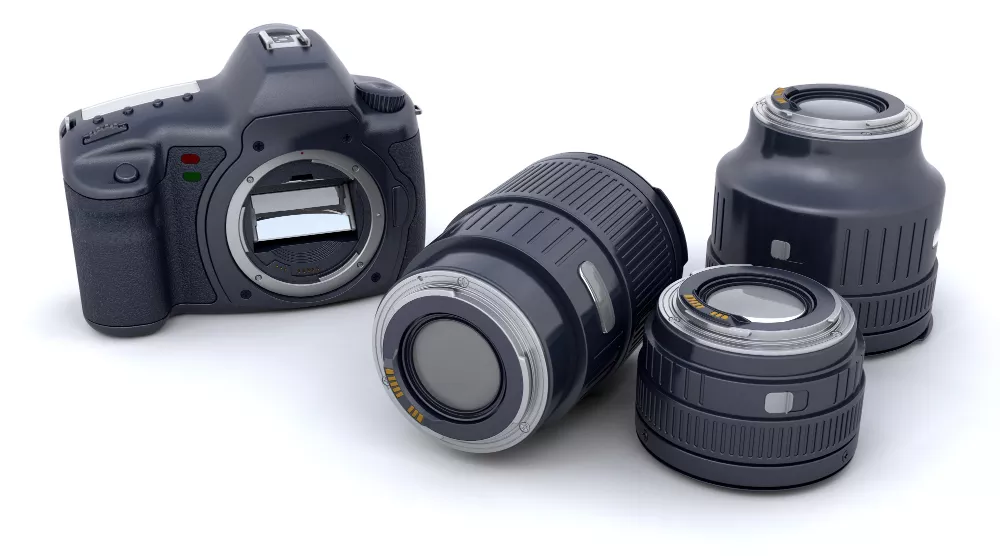
As part of the photography equipment list, popular cameras and the reasons to choose them are as follows.
| Camera Type | Why to Choose |
|---|---|
| Mirrorless Cameras | Offers fast autofocus, silent shooting, accurate exposure preview, and seamless tethering. |
| DSLR Cameras | Cost-effective options are widely used for their color accuracy, details, and stable performance to shoot commercial shots and white background product photography. |
| APS-C Sensor Cameras | Good starting option for new photographers due to budget-friendliness and ability to produce sharp, high-resolution images, especially for small products. |
| Medium Format Cameras | Used in high-end commercial photoshoots for campaigns and billboard work when extreme details and high resolution are required. |
Features to Consider When Choosing a Camera for a Photography Studio
When purchasing a camera for your studio, check its features to support accurate color, sharp focus, lens upgrades, and tethered shooting, among others, to ensure smooth and trouble-free workflow when taking shots and making edits.
- A strong sensor helps retain detail for retouching and color correction.
- Reliable autofocus ensures sharp shots of the subject.
- The ability to produce clean RAW files and connect easily to a computer makes post-production faster and more scalable for client work.
- High resolution helps maintain image clarity when editing.
- Good dynamic range preserves highlight and shadow details for easy recovery of texture and true colors.
- Consistent color science ensures products look accurate across multiple shots.
- A reliable lens ecosystem allows upgrading lenses easily.
What Are the Best Cameras for a Professional Photography Studio?
In the photography gear industry, the best cameras for a professional photography studio have a long list, so the CPS team made an in-house review back in October 2025. The preferences for studio cameras came in different categories. We have updated that list for you as follows.
| Categories | Camera Model | Reasons to Choose |
|---|---|---|
Best Cameras for Product Photography | Experts Choice: Sony A7 IV, Canon EOS R6 Mark II | Produce high-quality files, easy to retouch. |
| Beginners Choice: Fujifilm X-S20, Nikon Z5 | Budget but professional-ready. | |
| Best Cameras for Macro Photography | Experts Choice: Sony A7R V, Canon EOS R10 | Creates high-resolution details for close-up shots. |
| Beginners Choice: Canon EOS R10 | Sharp and affordable. | |
| Best Camera for Jewelry Photography | Experts Choice: Canon EOS 5D Mark IV, Sony A7 III | Excellent dynamic range and sharp output. |
| Beginners Choice: Canon EOS 90D, Fujifilm X-T3 | High-resolution and clarity. | |
| Best Cameras for Wide-Angle Photography | Experts Choice: Sony A7R V, Nikon Z8 | Deliver high-resolution files allowing extensive retouching. |
| Beginners Choice: Fujifilm X-T5, Panasonic Lumix S1R II | Professional camera-like image quality, strong color science, and hybrid photo/video capability. |
2. Lens
Choose a camera lens that offers exquisite sharpness, aperture control, focal length flexibility, distortion handling, image stabilization, etc. A strong lens setup ensures your images require less editing and fast post-production, maintaining a scalable workflow with client volume.
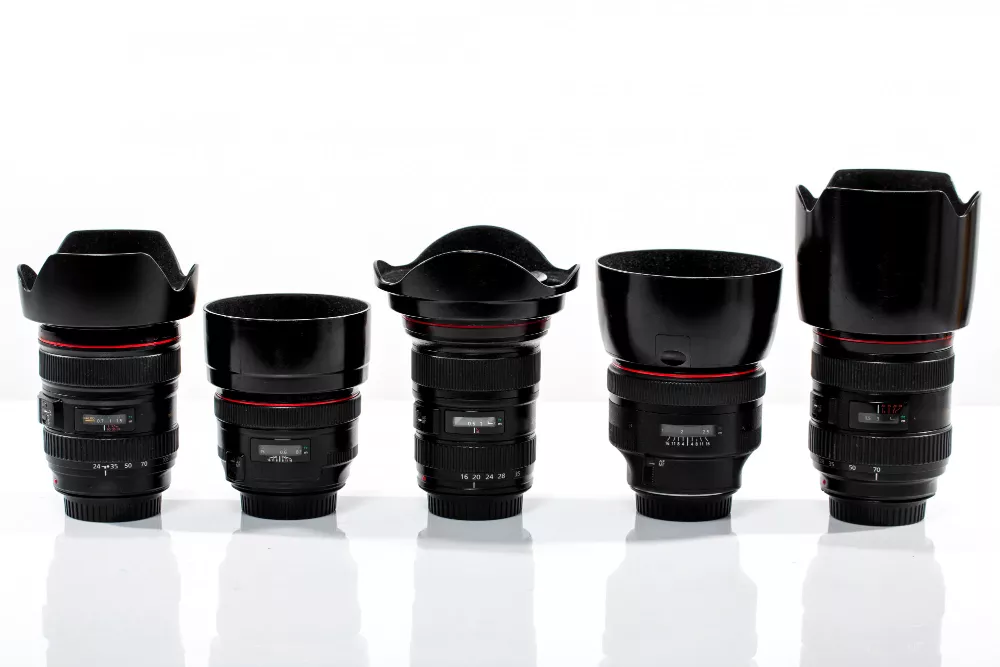
The most popular lenses that are used as reliable commercial photography studio equipment are as follows.
| Lens Type | Why to Choose |
|---|---|
| Prime Lenses (35mm, 50mm, 85mm, etc.) | Produce sharper images with less distortion and better detail retention. |
| Standard Lens (35mm–50mm) | Shows images from the human eye perspective and produces natural-looking images with minimal distortion. |
| Zoom Lenses (24–70mm, 24–105mm) | Offers quick framing adjustments without changing position or swapping lenses, allowing different shooting ranges in one lens. |
| Macro Lenses (90mm–105mm) | Capture fine details, surface textures, and sharp edges. |
| Wide-Angle Lens (16mm–35mm) | Captures a larger field of view. |
Features to Consider When Choosing a Lens for a Photography Studio
When picking a lens, consider the following lens features to assist the camera in producing quality images.
- Camera compatibility to match your camera mount and sensor type for optimal performance.
- Sharpness to keep the product and detail crisp for editing.
- Low distortion to minimize the correction needed in post-production.
- Versatile focal length to access multiple setups without changing lenses.
- Macro/wide capability to shoot the subject with details as you need.
- Image stabilization to minimize blur in handheld or low-light shots.
- Sturdy-built to ensure work in different locations, setups, and environments.
What Are the Best Lenses for a Photography Studio?
As per the review we conducted in November 2025 among our photography team, a list of the best lenses for a photography studio is as follows.
| Categories | Lens Model | Reasons to Choose |
|---|---|---|
| Best Lens for Product Photography | Experts Choice: Canon RF 100mm f/2.8 Macro, Sony 90mm f/2.8 Macro | Extreme sharpness and precise focus. |
| Beginner Choice: 50mm f/1.8, 24–70mm f/2.8 standard zoom | Versatility and affordability, yet editing-friendly images. | |
| Best Lenses for Jewelry & Macro Photography | Expert Choice: 100mm macro lens, 90mm macro | Take shots of extreme detail and texture. |
| Beginner Choice: 60mm macro lens, 50mm prime | Budget-friendly precision that still delivers clear, detailed shots. |
3. Lighting
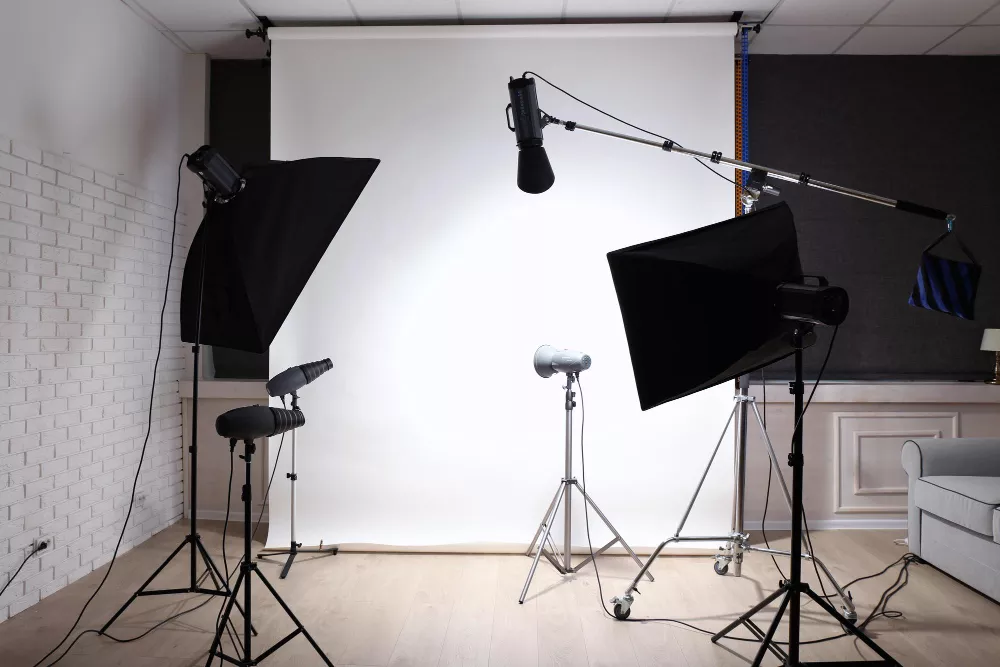
Ensure proper lighting equipment, as it helps you control exposure, shadows, and overall image quality, and contributes to the subject’s professional appearance. With a well-lit setup, you get standard images that need minimal retouching, look consistent, and highlight key details.
What Are the Different Types of Photography Lights?
The types of photography lights can be boiled down to 5 major categories: soft light, hard/directional light, large/broad light, accent light, and support lights. The studio lighting equipment list is as follows.
1. Soft Lights: Soft lights are the lighting source that creates diffused and gentle illumination. They are perfect for photoshoot equipment when you need smooth texture and minimal harsh shadows, such as products, fashion accessories, headshot and portrait shots. Examples of soft light are Softboxes, Umbrella lights, Bounce cards, Reflectors, etc.
2. Hard/Direct Lights: Hard lights refer to light that produces strong, directional illumination with sharp shadows. It is used to emphasize texture, sparkle, or contrast in commercial product shots, such as luxury products. Examples of direct or hard lights are Fresnel lights, Bare bulbs, Spotlights, focused LED lights, etc.
3. Large/Broad Lights: Large lights are big-sized lights that offer even coverage across a wide area. This light is used to create consistent light, for example flat-lay setup, catalog shots. Examples of broad or large lights are Octaboxes, Large softboxes, and LED panels with diffusion.
4. Accent Lights: Accent lights are the support illumination that backs up the non-lit areas, such as edges, backside, and contours. Using these lights creates a visual difference and separates the subject with dimension and depth, especially in ring light product photography and other types of product photography. Examples of accent lights are LED strips, rim lights, spotlights with barn doors, and ring lights used as edge lights.
5. Modifiers & Support Tools: Modifiers help shape, soften, and control the lighting direction, illumination, and intensity to create improved image quality. Examples of modifiers are Diffusers, Grids, Reflectors, Bounce boards, and Gels / Color filters.
Lighting Setup Options
There are 3 popular lighting setup options that photographers use based on budget and shooting type.
1. One-Light Setup: A one-light setup is a photography setup with only one keylight, and it is beginner and budget-friendly. Photographers whose styles are simple, minimal, or are just starting, use this setup.
2. Two-Light Setup: A 2-light photography setup requires one key-light and one accent or fill light, and is best for intermediate users.
3. Three-Light Setup: A 3-light photography setup is one that includes a key light, a fill light, and a rim/hair light. It is used for professional/high-volume setups to control shadows, support dimension, and highlights.
4. Studio Backgrounds
Select a wide range of backgrounds to test different setups. There are plenty of artificial backdrops, such as wood, fabric, and paper, along with a natural background. They set the tone of your shot, separate and highlight the subject. Professional backgrounds are essential to e-commerce shots or marketing shots as they make products stand out and support image consistency.
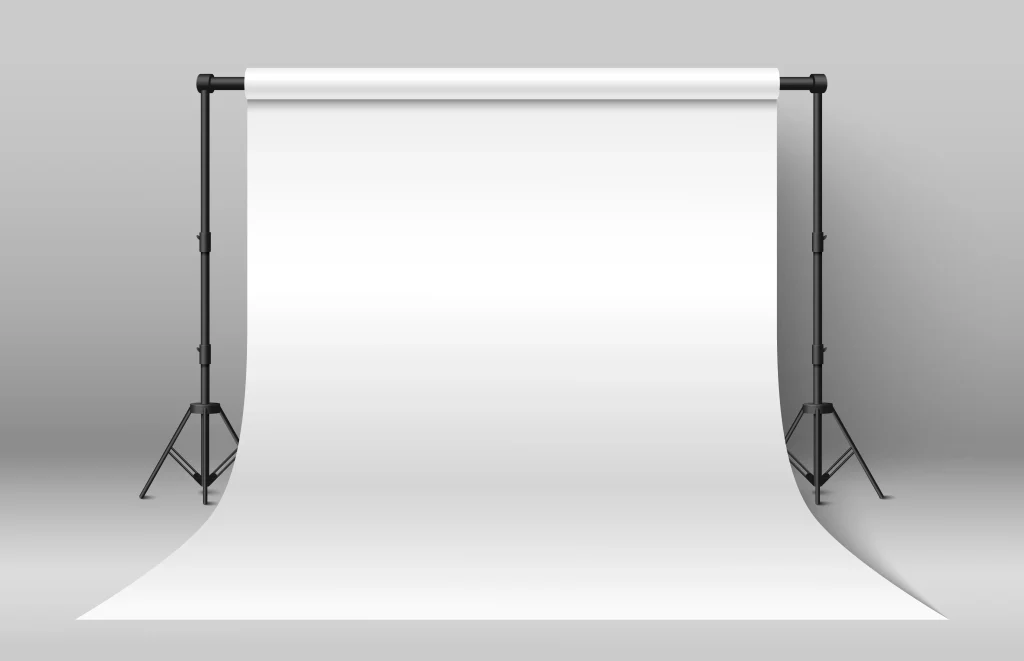
The most popular studio background includes the following 10 categories.
1. White Background: E-commerce recommended background that every seller follows. It accentuates the products without distraction and creates a clean and professional look.
2. Specific Colored Background: Brands used specific colors or combinations to create a consistent identity through marketing campaigns or creative product photography.
3. Wood/Textured Background: Wooden backgrounds create a texture that produces a warmth, style, or lifestyle feel to images.
4. Fabric/Draped Background: It is used for creating softness in a photography scene and adds subtle texture.
5. Patterned Backgrounds: Different patterned backgrounds, such as circles, rectangles, zigzags, etc., are used for creativity, decoration, or seasonal pattern display in photoshoots.
6. Tiles/Cement/Industrial Surfaces: Hard-object backgrounds are used for producing a modern, minimalistic, or edgy product photo shoot, especially for tech and lifestyle products.
7. Paper Backgrounds: Paper background offers a smooth and seamless surface for any type of scenario. It reduces shadows, allowing shooting and post-production convenience.
8. Marble, Stone, and Mirror Backgrounds: These backgrounds are best for shooting premium and luxury products as they add elegance and depth, along with enriching the products visually.
9. Gradient Backgrounds: These backgrounds are used for adding depth as they create color transitions for portraits or creative photography.
10. Green Screen Backgrounds: Green screen is a flexible option, used for leaving the options open to use a background. By replacing the background during post-production, you can add any fitting background.
5. Studio Photography Accessories
Purchase accessories that you feel the need for, not because other photographers have them. These are not first-purchase priority, but you will need them sooner once you start processing with your regular client shoots, which are as follows.
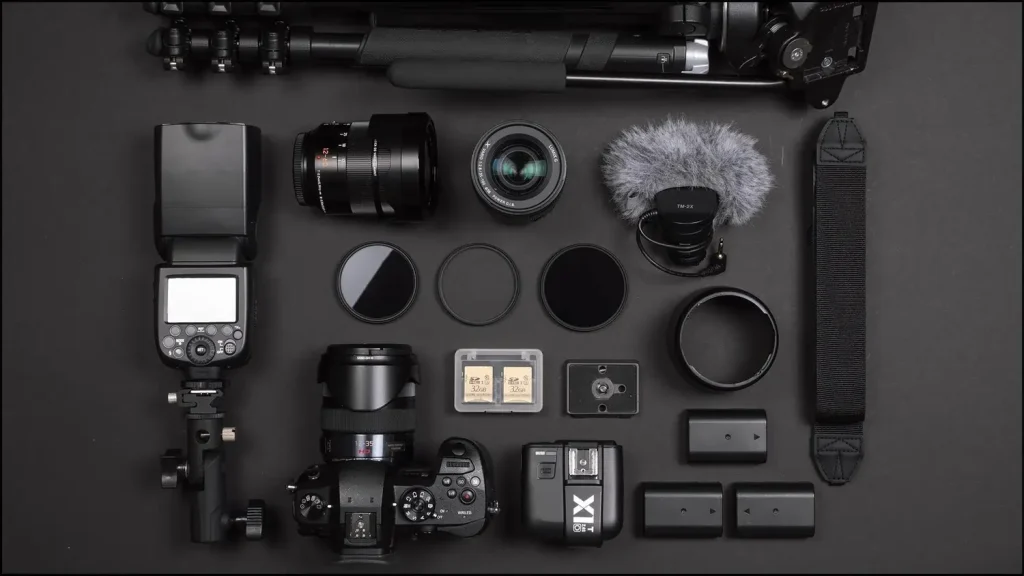
- Photoshoot Support and Stability Tools: These tools ensure consistency, efficiency, and secure workflow, such as tripods, monopods, lightstands, background stands, etc.
- Power and Continuity Essentials: Extra batteries, backup chargers, extension cords, and power strips to continue uninterrupted long photo shoot sessions.
- Gear Care Accessories: Have gear protections prepared for long-term use cases and quality outputs, which includes camera and lens cleaning kit, a lens hood, basic filters, etc.
6. Post-Production Equipment
Keep a budget for editing and post-production equipment as well, because it is the part where your photos transform into high-converting assets. Arranging good equipment supports your workflow, improves color accuracy, keeps files secure, and accelerates delivery time. Your editing setup should match your camera, which includes the following equipment.
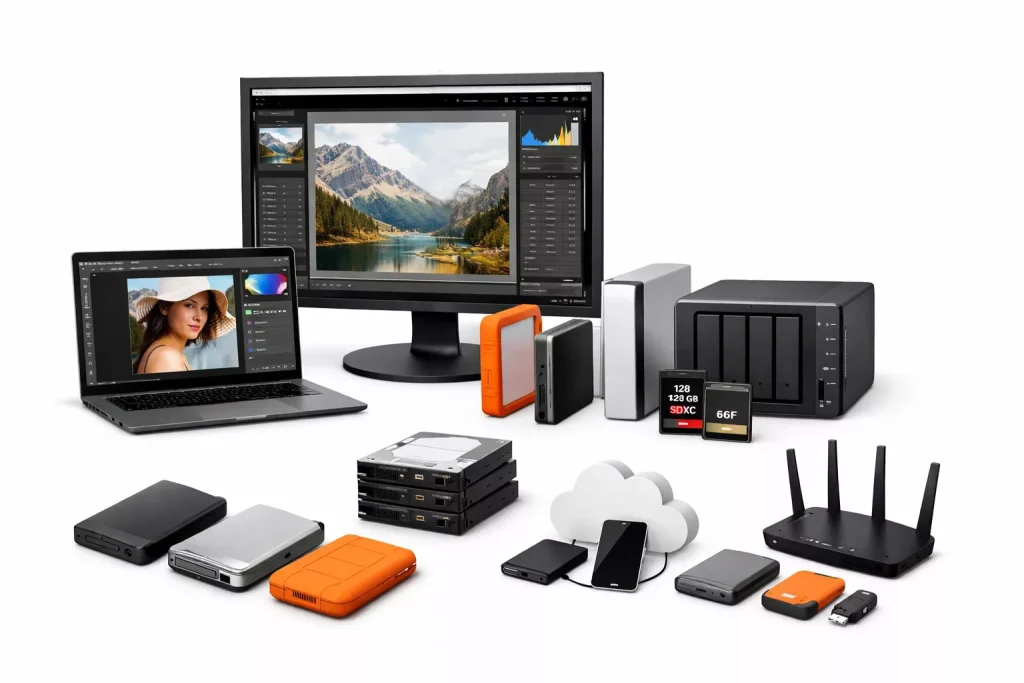
- Professional photo editing software with premium features such as Adobe Photoshop, Adobe Lightroom, etc.
- Monitor calibration tool for true-to-life color representation.
- External hard drives for safe storage.
- Robust backup system. A professional photography studio setup follows the 3-2-1 rule for backup: 3 copies of data, 2 different storage types, and 1 off-site backup.
- Secure cloud storage for easy access, collaboration, and client delivery.
7. Studio Space and Furniture as Equipment (Often Overlooked, but Important)
Consider other areas around your shooting, a full-fledged photography studio covers a lot of other factors which are not exactly equipment, but essentially contribute to your whole photography business, such as studio space, additional furniture for client comfort, etc. Together, they improve a photographer’s efficiency and workflow. If this exceeds your budget, you can always look for photography studio equipment for sale online and find budget-friendly options.
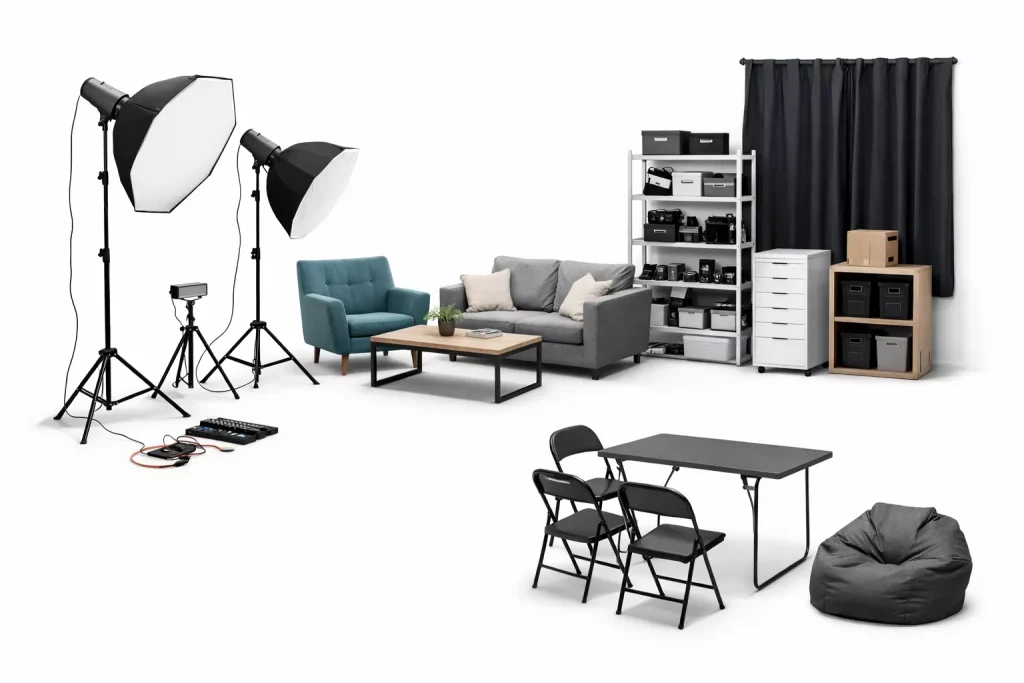
- Studio Space: Depending on your budget, your studio can be a home/lean studio, a rental space, or a studio in a commercial area.
- Additional Furniture: Chairs, tables, sofas, beanbags, etc.
- Lighting Control: Blackout curtains, window blinds, etc.
- Power Supply and Electrical Safety: Safe wiring, cable management, extension boards, etc.
- Physical Storage: Shelves, cabinets, or storage racks.
How Much Does It Cost to Set up a Photography Studio?
The cost to set up a photography studio varies between $2000 to $400000+, depending on setup type, location, equipment, promotional work, etc. Establishing a home-based/lean studio needs approximately $2000 to $20000 budget, a small-sized studio will cost over $8000, and a high-end commercial studio setup will require over $30,000 investment.
A list of photography equipment and prices, depending on the studio type, equipment, marketing, and operating basics are as follows.
| Category | Home Studio | Small to Mid-Sized Photography Studio | Full-Setup Photography Studio |
|---|---|---|---|
| Camera | $800 – $2,500 | $3,000+ | $15,000+ |
| Lens | $500 – $1,500 | $2,000+ | $8,000+ |
| Lighting | $300+ | $1,500 | $6,000 |
| Studio Background | $100 – $800 | $600 | $2,500 |
| Studio Photography Accessories | $300 – $2,000 | $3,000 | $18,000+ |
| Post-Production Equipment | $1,000 – $4,000 | $4,000 | $15,000 |
| Studio Space & Furniture | $0 – $5,000 | $15,000+ per year | $40,000+ per year |
| Miscellaneous (Marketing, Legal, and Capital) | $5000+ | $15,000+ | $30,000+ |
Is Owning a Photography Studio Profitable?
Yes, owning a photography studio is profitable even within the 1st year because of people’s demand for digital photos, use of smartphone photography, the integration of AI in photography equipment, investment and involvement in digital content creation, etc. Professional photographers’ income has increased as well. A 2026 report by ZipRecruiter titled Photographer Salary states that a photographer in the US earns up to $68K per year. On average, the payment is $3.9K per month, $894 per week, or $22 per hour.
How to Set up a Cost-Saving Photo Studio at Home?
To set up a cost-saving photo studio at home, choose a room where sunlight enters and you have good power access. Set the surface with your preferred backdrop and set the subject. Choose to shoot in the morning when the sunlight is soft. Use bounce cards or reflectors to make even illumination. Start shooting and check the frame, adjust if you need. As home based studio is beginner-friendly and easy to set up, make sure to be equipped with efficient photography studio equipment for beginners for a smooth workflow.